AI Photo Editing
Platform

Enhance, refine, and transform your photos — automatically
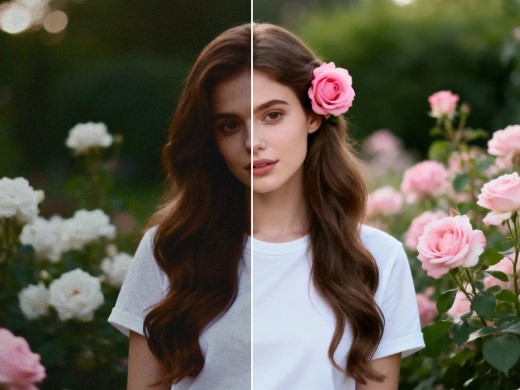
Photo enhancer preview
Automatic exposure enhancer
Intelligently balance highlights, shadows and midtones.
Preview image
Smart tone adjustment
Take your photography to the next level.
Preview image
Skin Retouch
Smooth and refine skin tones while preserving natural texture and detail.
Preview image
HDR Photography
Bring out every detail in your shots.
Preview image
QR Code Generator
Turn any link into a QR code, optionally with your logo in the center.

Photo enhancer

Upload a photo and get an automatically enhanced version.

Drop your photo here
or click the button below to browse
JPG PNG WEBP
Original
Enhanced
Before After
Enhancing...

HDR Photography

Upload 2 or 3 exposures of the same scene and merge them into one.

Drop your exposures here
Same scene, different brightness — e.g. a dark and a bright shot
JPG PNG WEBP
Original exposure
HDR result
Exposure 1 HDR
Merging exposures...
Compare with:
Adjustments
Exposure 0.00 EV
Applied instantly
Vibrance 0
Applied instantly
Algorithm tuning dev only · re-merges on change / on release
1 · Alignment & deghosting
reference = exposure with mean grey closest to 128 (never warped)
Alignment
ECC: full homography (rotation, perspective) · MTB: translation only. The result is cropped to the area covered by every exposure.
Min alignment score 0.80
Score = correlation of fine detail with the reference, per tile; 20th percentile over the image (drops if a sizeable part is off). Exposures below this are left out. 0 = off.
Deghost 0.08
Each exposure is predicted from the reference (per-channel curves). Where |real − predicted| luma exceeds this threshold the pixel is a moving object and is replaced by the prediction. Lower = more aggressive.
2 · Fusion & weights
W = Cwc · Sws · Ewe, normalised to sum 1 per pixel
Fusion
Same algorithm (identical at full pyramid depth). Hand-made unlocks group 3.
Well-exposedness exponent we 2.0
Ewe is the same Gaussian with width σ/√we: higher = stronger preference for mid-tones.
Contrast exponent wc 0.0
C = |Laplacian| of grey (texture). 0 = ignored: noise in the dark exposure looks like texture.
Saturation exponent ws 1.0
S = std of B, G, R. Favours colourful pixels; clipped pixels are white, so S ≈ 0.
3 · Hand-made fusion only
E = ∏c∈{B,G,R} exp(−(Ic − μ)² / 2σ²)
Fk = Σi G{Wi}k · L{Ii}k  (each pyramid level k)
Pyramid top level 4 px
Stop the pyramid when the coarsest level reaches this size (short side, px). Small = smoother transitions, but brightness mixes over the whole image; larger = each area keeps the brightness of its own best exposure (risk of halos). 0 = full depth, like OpenCV.
Well-exposedness centre μ 0.50
Channel value (0–1) considered perfectly exposed. Higher = the brighter exposure wins more often = brighter result.
Well-exposedness width σ 0.20
How fast E falls away from μ. Smaller = stronger preference and sharper switching between exposures; larger = softer, more mixing.

Skin Retouch

Upload a portrait and get smoother skin with the natural texture kept.

Drop your portrait here
Works best with faces clearly visible
JPG PNG WEBP
Original
Retouched
Before Retouched
Retouching...
Blemish correction 100% Skin smoothing 50%
Algorithm tuning out = low + gmid·mid + ghigh·high  (each LAB channel) · re-runs on release

QR Code Generator

Paste a link and download its QR code. Everything happens in your browser.

Logo in the center
Logo
Optional. Adding a logo switches to high error correction so the code still scans.
Module style
Text below the code
Your QR code will appear here